



Computers for Seniors
Build confidence using technology through beginner-friendly computer courses designed for seniors in Sydney. Our trainer offers supportive short courses that help learners develop practical digital skills for everyday life in an increasingly connected world.
Whether you want to use smartphones, computers, email, online services or digital tools more confidently, our flexible short courses provide patient, supportive learning environments with no prior experience required.
Classes are available at selected Sydney venues with flexible daytime learning options available.
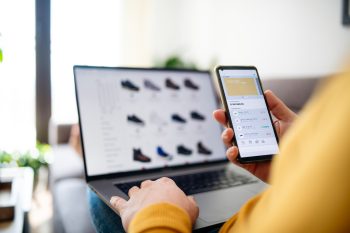
Tech Savvy Seniors – Introduction to Online Shopping and Banking: Part 2
The internet provides tremendous tools for managing your finances. All those financial tasks that you had to grind through previously – lining up at the bank, paying bills, filling out forms &nd
0 classes available

Tech Savvy Seniors – Introduction to Smartphones
Step into the world of smartphones with our Introduction to Smartphones workshop!
In the past, mobile phones were mostly about making phone calls. They had a number pad, a digital phone book and a pic
0 classes available
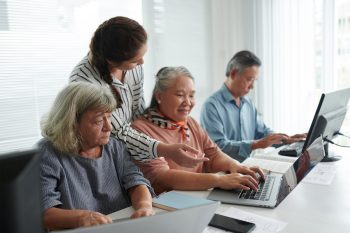
Tech Savvy Seniors – Introduction to Windows 10 and 11
Discover the power of Windows 10 and 11 with this introductory workshop.
Windows 10 and 11 is the latest operating system released by Microsoft that some people may be using on their computer, laptop,
0 classes available
Tech Savvy Seniors – Introduction to Windows 11
Discover the power of Windows 11 with this introductory workshop.
Windows 11 is the latest operating system released by Microsoft that some people may be using on their computer, laptop, tablet or pho
0 classes available

Tech Savvy Seniors – Managing Your Digital Assets
Do you want to learn how to manage your Digital Assets? A digital asset is any information about you, or belongs to you, that’s stored on a phone, computer or online. If you use a phone, tablet,
0 classes available
Tech Savvy Seniors – Installing Apps on an Android Smartphone or Tablet
Smartphones and tablets are extremely useful and powerful if you know how to use them properly. It’s like having a small portable computer in your hands, conveniently available to be used at any
0 classes available
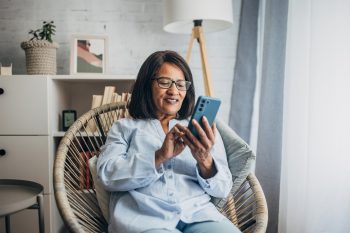
Tech Savvy Seniors – Installing Apps on an Apple iPhone or iPad
Smartphones and tablets, such as an Apple iPhone or iPad, are extremely useful and powerful if you know how to use them properly. It’s like having a small portable computer in your hands, conven
0 classes available